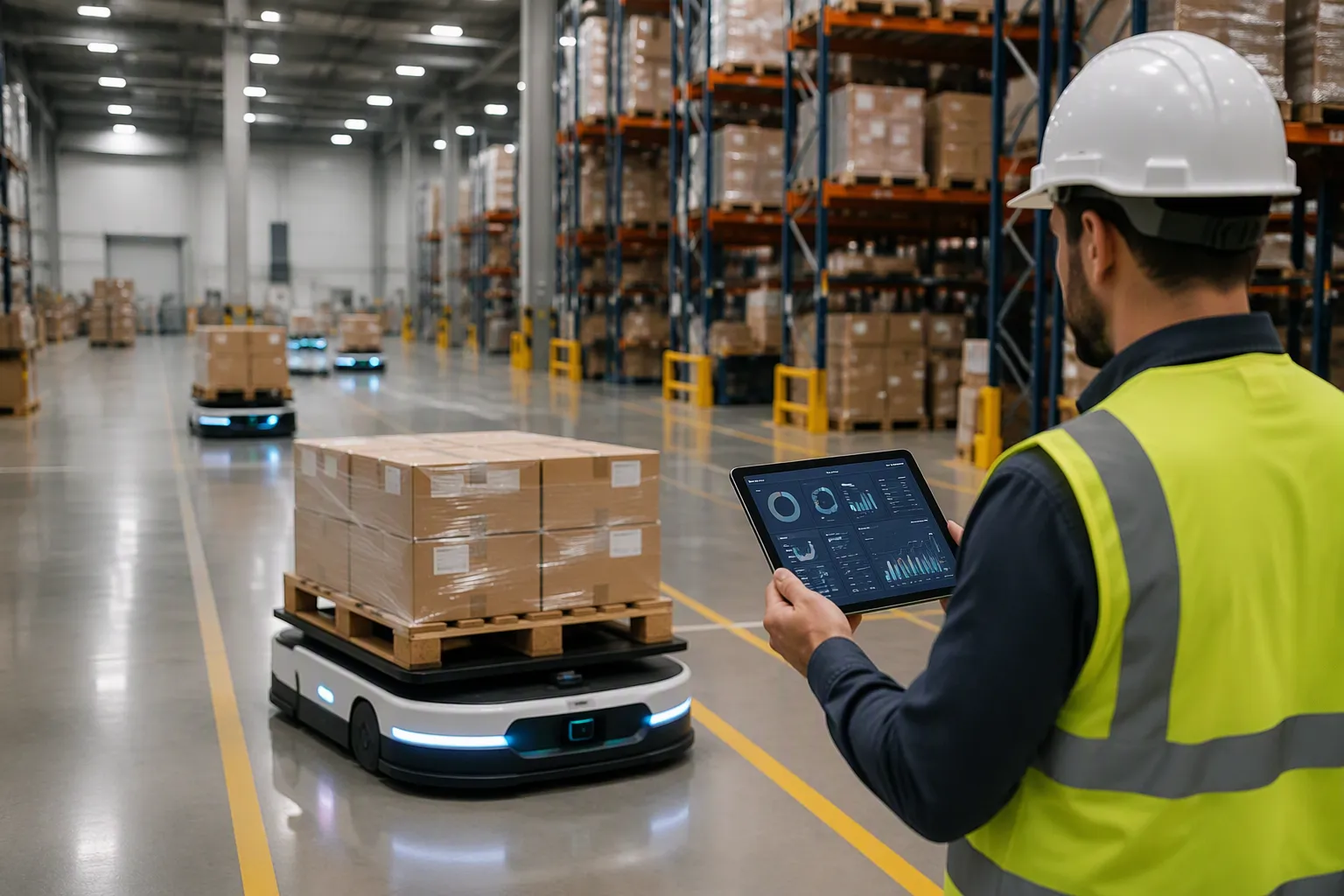
Syncing warehouse robots in 2026 requires a layered integration approach. You connect business systems through standardized interfaces. The core challenge? robots in warehouses speak tasks. This guide teaches you how to scope integration, map tasks, and choose between direct integration or a fleet layer. You apply standards like VDA 5050 and OPC UA. You design for exceptions and measure success with clear metrics. You track task completion rate, inventory accuracy, order-to-task latency, and manual touchpoints. Automation reduces manual efforts and errors. This ensures systems remain synchronized. robotics influences erp. robotics automates movements. robotics requires standards. erp systems need real-time synchronization.
Scope Your ERP, MES, and WMS Integration
Which Systems to Connect
The process of connecting robots to erp, mes, and wms starts with deciding which business system owns which decision. ERP systems manage orders, inventory valuation, and financial records. The WMS controls storage locations, picking workflows, and slotting logic. The MES handles production-line execution when robots feed assembly stations. The nature of your robot's work determines the correct connection layer. For warehouse transport or picking, connect to the inventory management layer. For parts supply in manufacturing, connect to the MES layer. Avoid designing direct connections to multiple layers. That approach only increases complexity without providing benefits.
Document clear boundaries between the erp and the robot. Define what each system decides. If this line stays ambiguous, you risk judgment duplication or omission. Investigate the target system state before starting. If modifications to core systems are necessary, the approval process dictates your project timeline. Decide integration details early. Choose which systems to interact with, at what granularity, and at what frequency. Begin integration design at the same time as selecting the machine. Proper robotics deployment depends on these upfront decisions.
Match Scope to Operational Needs
Scope should follow operational needs. Start with one warehouse zone or one robot type. A common pitfall is scope creep caused by unresolved assumptions. Define design parameters and assumptions explicitly early in the project. Base your business case on a fixed design. This approach reduces costly change orders later.
Modern warehouse management system solutions are built for integration. Standard interfaces connect with major platforms and supply chain software. Evaluate integration capabilities during your system selection process. A strong business system connection reduces later rework.
Consider process stability first. Robotics suits repeatable workflows. Processes with frequent exceptions need redesign before robotics can support them reliably. Product compatibility matters too. Data consistency across systems remains critical. Product codes, units of measure, inventory status, and order priority must stay aligned. Proper warehouse management prevents manual reconciliation and conflicting records across systems.
Industry data reveals the integration gap. Only 23% of warehouse leaders reported having fully integrated systems. 62% were partially integrated. This gap shows full integration remains a significant challenge. Yet 75% of respondents stated integration is essential to achieving automation benefits. Your goal should be full integration from the start. The wms plays a central role in enabling this connection for your operations.
Map Robot Tasks to Business Orders
Traceability From Order to Task
You must register each robot as a warehouse resource inside the WMS. This step treats robots like any other resource in the system. Every robot task then traces back to a business order line. Confirmations flow back to the ERP for inventory and financial accuracy. This closed loop supports syncing warehouse robots with your business systems.
Robot task logs alone cannot deliver full traceability. You must link each task to material identifiers. A complete chain connects robot tasks to barcodes or QR codes, RFID tags, pallet or tote identification numbers, WMS inventory records, MES production orders, and batch or lot information. Consider this example. A record showing Robot 4 delivered a tote to Workstation 3 at 10:15 only confirms transportation occurred. Only when the record also includes the tote ID, material number, and production order can you verify the material matched the production requirement.
| Requirement Category | Specific Traceability Elements |
|---|---|
| Scan event data output schema | Asset ID, location, timestamp, scan confidence score, and image capture sent to the integration layer |
| MES audit trail record per robot scan | Robot ID, entry time, exit time, scan result, and image evidence |
| MES order verification | Robot-confirmed lot ID and container count auto-close MES batch records without manual sign-off for routine tasks |
| Discrepancy handling | Real-time MES alerts with image documentation when scan count differs from expected count, for QC review |
| Regulatory compliance (FDA) | Electronic signature equivalent, timestamp, and audit trail per 21 CFR Part 11 |
Define Task Parameters and Confirmations
Define these task parameters before you deploy any robot: pick location, quantity, priority, deadline, and confirmation payload. Task log fields typically record task creation time, robot acceptance time, actual pickup and delivery times, start and destination points, robot identification number, and reasons for delays, cancellations, or failures.
Your integration design must handle exceptions. Real-time MES alerts with image documentation trigger when scan counts differ from expected counts. QC teams then review the discrepancy. This approach supports physical task automation in warehouses and factories across picking, storage, replenishment, and inventory taking. Strong warehouse management depends on these confirmation loops. Effective robotics integration keeps your erp systems aligned with actual floor activity.
Choose Your Integration Method
Direct ERP Integration vs. Fleet Layer
You have two main paths for connecting robots to your business systems. The first is direct ERP integration. The second uses a fleet management layer. Each path fits different operational realities.
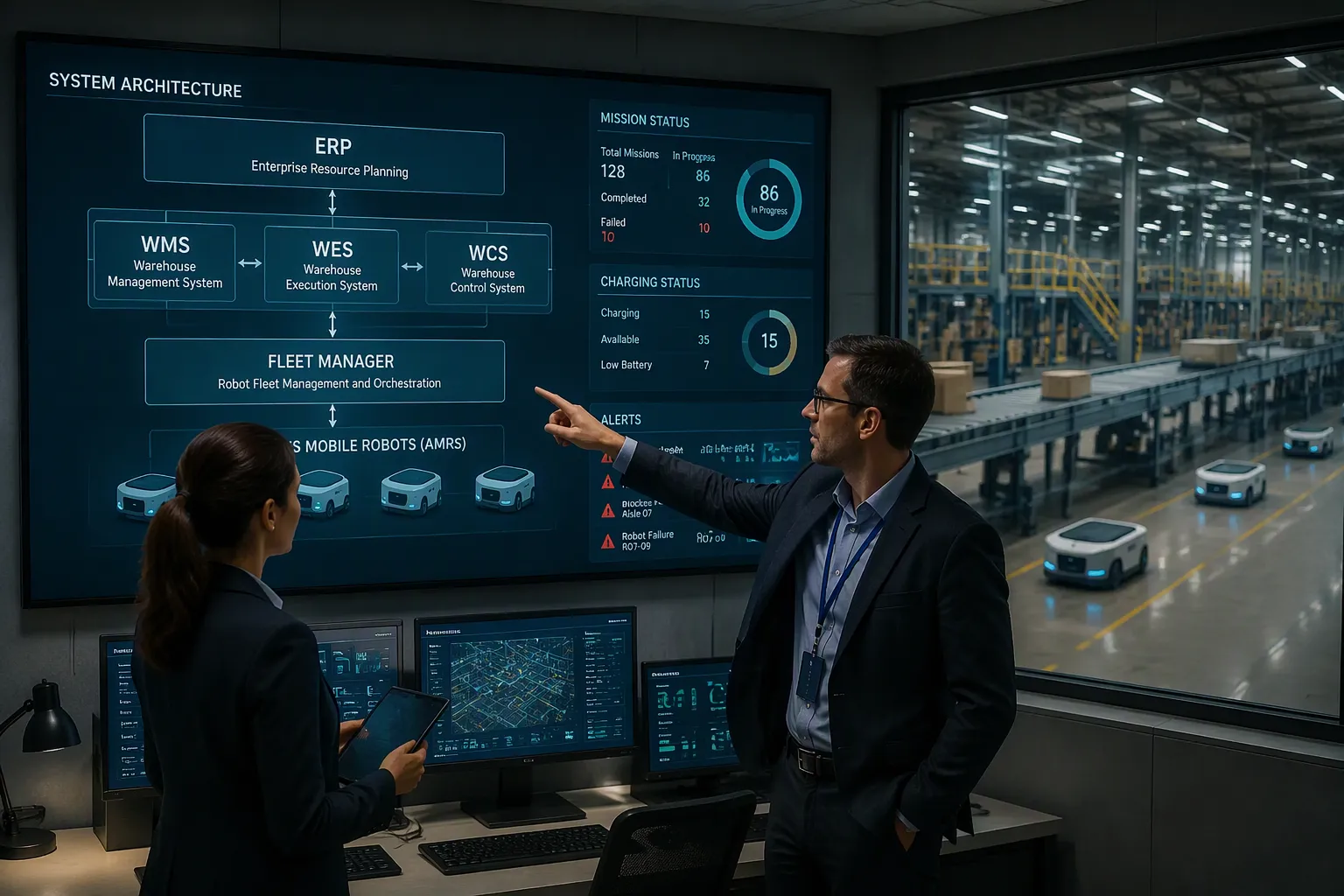
Direct ERP-to-equipment integration works only in narrow use cases. Most experts consider it too rigid for live warehouse operations. ERP systems are built for business records. They do not manage real-time equipment states well. Robot missions, conveyor faults, station loads, and pick exceptions all change by the second. Your ERP was never designed for that pace. As a result, most sites need intermediate WMS, WES, or WCS layers between the ERP and the equipment.
Robot fleets add one more layer. AMR and AGV fleet managers expose mission APIs, map status, charging status, blocked-path alerts, and robot health data. The recommended boundary is clear. Your WES should request missions and handle exceptions. It should not micromanage motor commands. If the fleet manager owns path planning, your WES should not issue conflicting route logic.
An AMR fleet with no connection to WMS, ERP, or MES is an automation island. It cannot respond intelligently to broader operational needs. True operational value comes when the fleet manager receives work orders from upstream systems and feeds performance data back into them. When you compare platforms, ask vendors how their system connects to the enterprise software stack. Look for support for standard industrial protocols such as REST APIs, MQTT, and OPC-UA. Pre-built connectors for common WMS and ERP platforms save months of work. Vendors with open SDK access let your technical team build custom integrations without full dependence on the vendor's roadmap.
Where a WES and Edge Adapters Fit
A Warehouse Execution System handles real-time automation. It synchronizes with your ERP in near-real-time. The WES is fully vendor-agnostic. It integrates with any ERP, WMS, and hardware solution. This lets you gain execution-level control without replacing your current enterprise systems.
| WES Feature | Description |
|---|---|
| Integration with WMS and ERP | Connects with existing warehouse and enterprise systems. |
| Automation Control | Interfaces with robotics, AS/RS, and other warehouse technologies. |
| Optimized Automation | Keeps conveyors, sorters, and robotics working with labor, preventing idle time. |
| Real-Time Decision Making | Monitors continuously and re-allocates resources to eliminate bottlenecks. |
| Order Orchestration | Synchronizes order fulfillment steps for seamless processing. |
The order flow follows a clear sequence. Sales orders originate in the ERP and flow to the WMS for fulfillment. The WMS translates orders into specific inventory tasks. Tasks pass to the WES for real-time optimization. The WES sends equipment-specific commands to the WCS. Bi-directional communication then occurs. Inventory counts flow upward from WCS to WES. Completion status flows from WES to WMS. Fulfillment data flows from WMS to ERP.
Edge adapters sit close to the robots. They translate vendor protocols into the business-facing interface. This keeps your api, event, and message bus clean. The safest blueprint for most projects is a layered, event-driven architecture owned by one lead integrator. ERP handles enterprise commitments. WMS handles inventory and warehouse transactions. WES handles execution orchestration. WCS handles machine routing and control translation. PLCs and device controllers handle physical safety and motion. This structure supports syncing warehouse robots with your erp, mes, and wms without overloading any single layer.
Apply the Right Technical Standards
VDA 5050, OPC UA, and Event-Driven APIs
Standards eliminate vendor lock-in and make scalable robot fleets possible. Three standards matter most for syncing warehouse robots with your business systems.
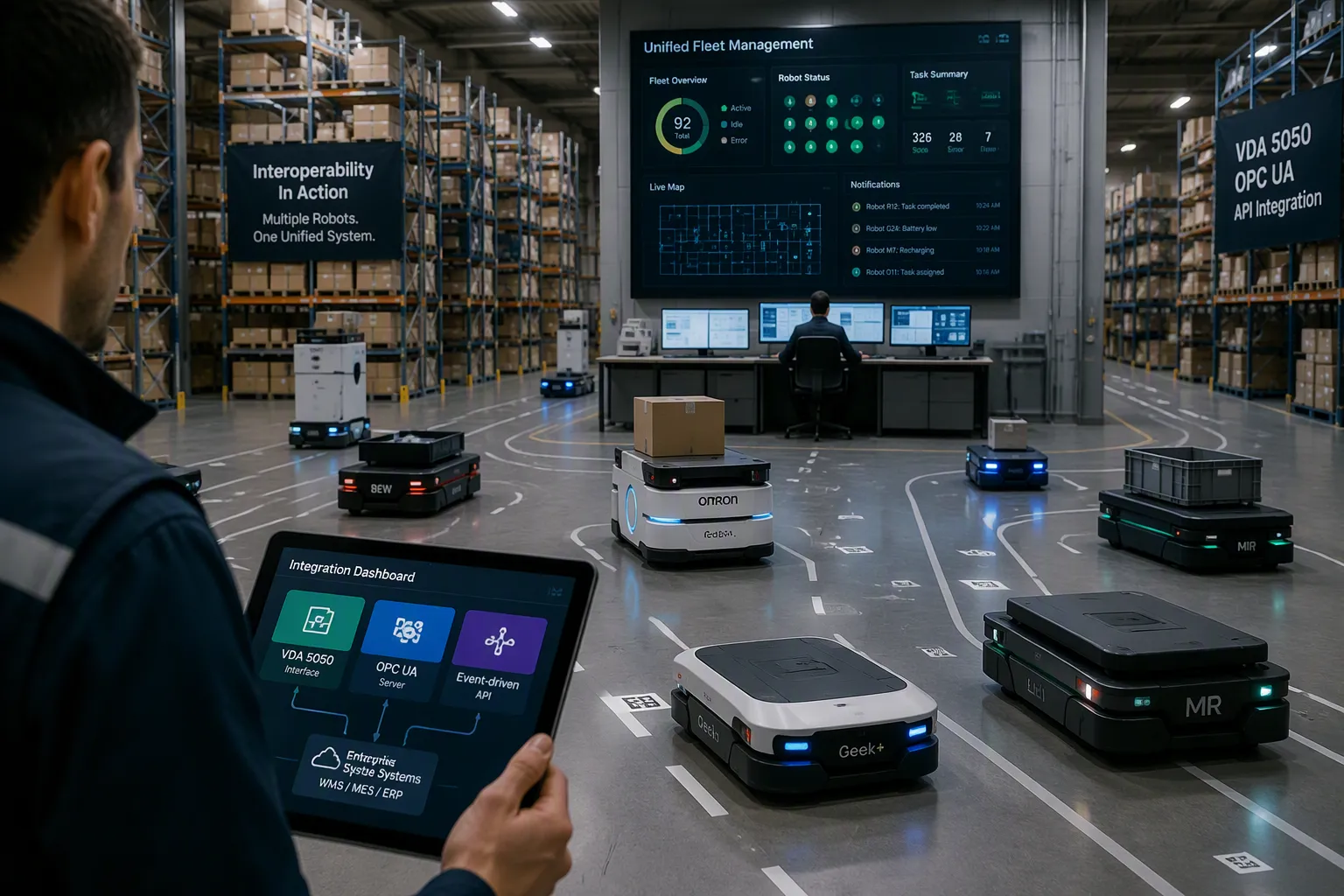
VDA 5050 is an open communication standard. It enables interoperability between different AGV and AMR brands under a unified fleet management system. The standard defines a vendor-neutral interface between a central master fleet manager and any conforming vehicle. It uses an MQTT-based message contract. Orders flow down, and state flows back. This design lets one fleet manager coordinate many robot brands under a single pane of glass. VDA 5050 deliberately does not standardize traffic intelligence or safety logic. Those remain in the fleet manager. The standard provides the critical message layer that makes multi-vendor fleets operationally feasible.
OPC UA is an industrial communication protocol. It enables interoperability across machines, robots, and software platforms. OPC UA often acts as a gateway or higher-level integration protocol for upstream systems like your WMS, MES, and ERP. Together with open automation architecture, these standards allow your MES, WMS, and ERP systems to communicate with robots directly.
For ERP-facing integration, use API and event-driven architectures. Event-driven patterns decouple systems. This prevents dependency chains. You can upgrade SAP without impacting MES or AI systems. This reduces downtime. Real-time event processing uses current machine states. This improves AI prediction accuracy compared to stale batch data. Automotive assembly lines generate thousands of events per minute from robots. Event brokers use topic partitioning by production line and backpressure mechanisms to manage spikes. These spikes can reach 10 times normal volume during model changeovers. Events act as the single source of truth per domain. This eliminates reconciliation issues. Standardized schemas keep events stable across SAP versions.
Real-time operational data from robotics feeds back into your ERP to improve visibility and flexibility. This matters most with a cloud ERP. Real-time data collection from operations closes the loop between floor activity and business records. Your api, event, and message bus stays clean when edge adapters translate vendor protocols first.
Design for Exceptions and Human Approval
Robots encounter situations outside their programming. A packing robot may face new packaging on a familiar product. Modern robots use sensors and AI algorithms to navigate obstacles, report errors, or pause operations. Human supervisors then step in.
Define exception policies before deployment. Map which errors stay local and which escalate globally. A payload transformation mapping error stays near that step. An authentication or connectivity failure triggers global handling. Build an exception subprocess as your central rescue path. It captures payload, error details, interface name, timestamp, and headers. Then it routes them to logs, alerts, or monitoring systems.
Apply retry patterns for temporary failures. Retry an external API call after a short interval when it times out. Bound your retries to avoid message pileups. Use a circuit breaker pattern. Track failure counts. When failures exceed a threshold, open the circuit and stop processing for a defined period. Schedule a reset timer. Route failed messages to a dead letter channel for later inspection.
Define authority levels clearly. Who approves a retry? Who authorizes a substitution? Missing mandatory fields should fail fast. A single invalid record in a bulk payload can be logged separately while valid records continue. Send alerts only for business-critical failures, repeated retries, or downstream system unavailability. This keeps your integration between ai and robotics manageable as fleets grow.
Measure Performance and Future-Proof the Stack
Metrics That Prove Integration Success
You need clear metrics to prove your integration works. Track these key performance indicators to measure success across your warehouses.
| KPI | Why It Matters |
|---|---|
| Cycle time | Robots cut cycle times by moving goods faster and operating 24/7. |
| Picking productivity | Goods-to-person systems can double or triple productivity by reducing travel. |
| Dock-to-stock time | Automated processes can reduce it to under 3 hours, accelerating cash flow. |
| Space utilization | ASRS can increase utilization from 65% to over 90% and achieve up to six times storage density. |
| On-time shipment rate | Automated systems help maintain rates above 98%. |
| Labor cost per order | Robotics reduces labor costs per order while reallocating staff to higher-value activities. |
Also measure order-to-task latency. Polling-based task delivery takes 30–60 seconds on average. Event-driven delivery pushes task data to the robot queue in under 5 seconds. That speed recovers 25–50 minutes per robot per shift at 50 tasks per 8-hour shift. Track exception rate and manual touchpoints per order too. Fewer manual touchpoints mean tighter synchronization between your erp, mes, and wms.
Multi-Vendor Orchestration and Emerging Trends
Multi-vendor orchestration integrates diverse robot fleets from different manufacturers into one seamless workflow. As Akash Gupta of GreyOrange puts it, orchestration gives you freedom to choose your own robotic technologies. An orchestration layer assigns tasks, optimizes routes, and balances workloads across all resources in real time. This software-defined approach lets your automation strategy evolve without replacing existing infrastructure.
AI and robotics now synchronize execution with your erp systems. When an AI forecast predicts a stockout, it triggers a purchase order automatically. Your wms then receives items and updates stock without retyping. AI aggregates data from ERP, WMS, robotics platforms, and IoT sensors into one unified view. Real-time operational data from robotics feeds directly into your ERP, skipping interpretation layers. This closes the gap between floor execution and financial records.
RPA and AI handle hyperautomation in finance. They trigger cost allocation and reconciliation from live operational data. Conversational ERP copilots surface risks in context. AI-driven predictive maintenance analyzes telemetry and creates work orders automatically. These trends show how robotics influences erp strategy. Effective integration boosts efficiency, reduces labor costs, and ensures scalable warehouse automation. It also improves warehouse inventory and operations accuracy. Strong warehouse management depends on this loop. The combination of ai and robotics keeps your stack future-proof. As ai and robotics mature, your integration must grow with them.
You now have a clear path for syncing warehouse robots with your business systems. Scope your systems first. Map tasks to orders next. Then pick your integration method. Apply standards like VDA 5050 and OPC UA. Finish with governance and measurement. This layered approach pays off with accurate inventory, traceable order fulfillment, and fewer manual touchpoints. Your stack can also absorb new robot vendors without a rebuild.
Treat integration as an ongoing operating capability, not a one-time project. Revisit standards and metrics as your fleet grows. The combination of ai and robotics will keep changing. Start with one warehouse zone or one robot type. Prove the loop works. Then scale across your warehouses.
FAQ
Do you need a WES if your WMS already manages inventory?
Not always. A WMS tracks stock and orders. It rarely handles real-time robot traffic. Add a WES when your fleet grows past one vendor or one zone. The WES orchestrates execution while your WMS keeps inventory records clean.
How long does a typical integration take?
Timelines vary with scope. A single-zone pilot with one robot type moves faster than a multi-site rollout. Start small, prove the loop, then expand. Your approval process for core system changes often sets the real schedule.
Can you connect robots directly to your ERP?
You can, but most sites avoid it. ERP systems manage business records, not live equipment states. Direct links grow rigid fast. Use a WMS, WES, or fleet layer instead. That keeps your erp stable while robotics handles floor execution.
What happens when a robot task fails?
Define exception policies before deployment. Map which errors stay local and which escalate. Retry temporary failures with bounded attempts. Route persistent failures to a dead letter channel. A human supervisor approves retries or substitutions based on authority levels you set.
How do you avoid vendor lock-in?
Insist on open standards. VDA 5050 lets one fleet manager coordinate multiple robot brands. OPC UA connects machines and software. REST and MQTT APIs keep data flowing. Multi-vendor orchestration then lets your automation strategy evolve without replacing infrastructure. This approach keeps integration flexible as ai and robotics mature.
See Also
Discover How Standard Operating Procedures Improve Warehouse Operations By 2025
Explore New Technologies That Are Revolutionizing Warehouse Productivity In 2025
Understand Why Today's Warehousing Requires Game-Changing SaaS WMS Advantages
Learn How Smart Ecommerce Warehouse Strategies Can Maximize Your Efficiency
See Why WarpDriven Supply Chain ERP Excels For Smart Enterprise Management Solutions