
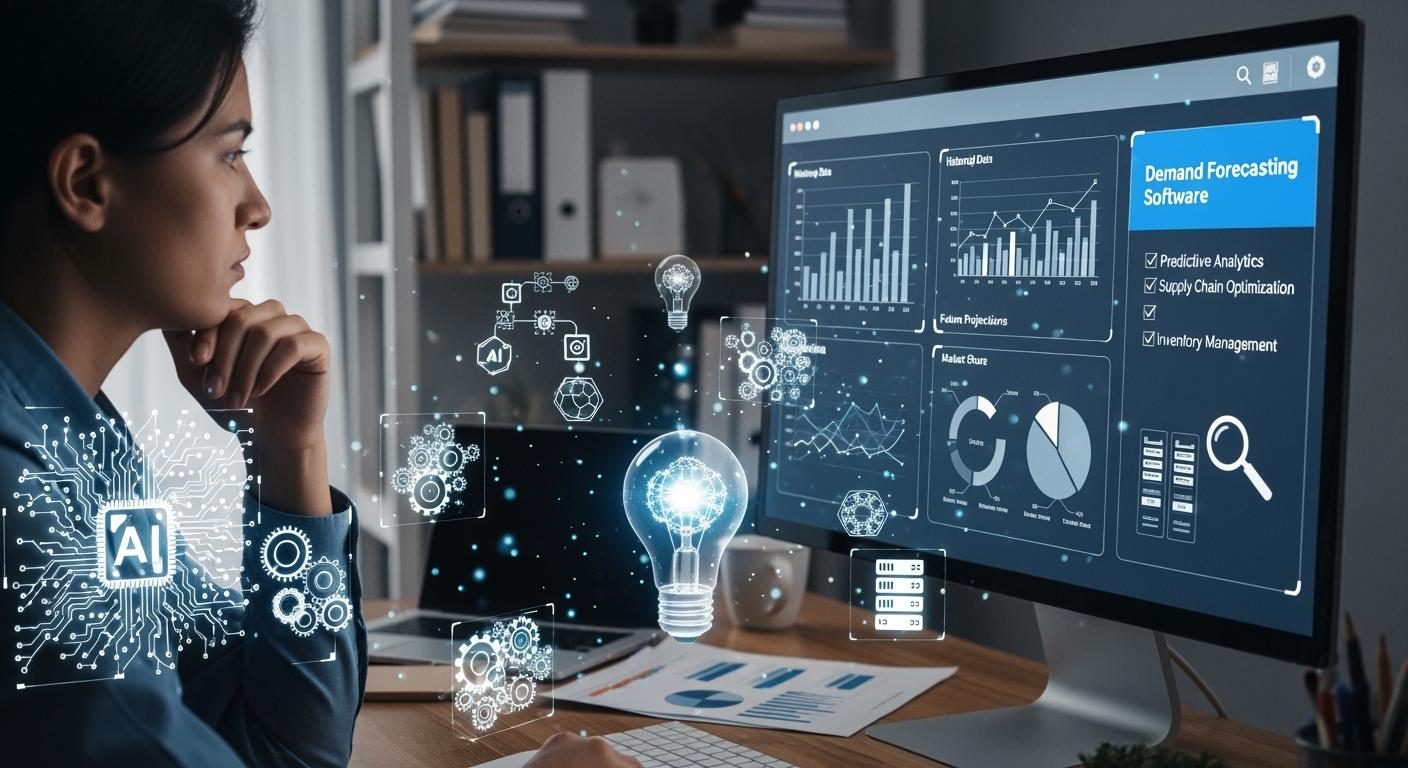
You want to find reliable ai demand forecasting software. Start by checking features like ERP integration, ROI, and real-time insights. AI and machine learning boost forecast accuracy—companies see up to 79% accuracy and fewer errors. Look for high-quality data and easy integration. Review cost, vendor support, and make sure the software fits your industry. Use a checklist to stay organized.
| Criteria | Description |
|---|---|
| Accuracy | Metrics like mean absolute error (MAE) or MAPE show performance. |
| Reliability | Standard deviation or confidence intervals help measure consistency. |
| Simplicity | Fewer parameters and lower data needs make software easier to use. |
| Flexibility | Sensitivity analysis or validation shows if the software adapts to changes. |
Why Reliability Matters in AI Demand Forecasting
Business Impact of Reliable Demand Forecasting
You want your business to run smoothly. Reliable demand forecasting helps you do that. When you use ai demand forecasting, you get better results than old methods. AI looks at huge amounts of data and finds patterns that humans might miss. This means you can plan your inventory and demand planning with more confidence.
Take a look at how reliable demand forecasting affects your business:
| Metric | Impact Description |
|---|---|
| Inventory Turnover | Accurate forecasting improves product availability and reduces stockouts. |
| Customer Satisfaction | Stronger customer relationships and higher retention rates lead to increased satisfaction. |
You see improved product availability and quicker fulfillment. Customers get what they want, when they want it. This boosts satisfaction and keeps them coming back. Reliable demand forecasting aligns your inventory with expected demand. You avoid overstocking and reduced stockouts. Your team spends less time guessing and more time serving customers.
AI-driven demand planning can deliver huge financial returns. Some companies report up to 927% ROI. You recover money stuck in extra inventory and cut planning time. Your business becomes more efficient and ready for changes in the market.
Risks of Unreliable Demand Forecasting
If your demand forecasting is unreliable, you face big problems. You might run out of products or have too much sitting in your warehouse. Stockouts frustrate customers and hurt your reputation. Too much inventory wastes money and space.
Here are some risks you should watch for:
- Missed sales because you did not predict demand correctly.
- Lost customers who turn to competitors.
- Poor demand planning leads to wasted resources.
- Slow response to changes in the market.
- Reduced stockouts become rare, but overstocking becomes common.
Unreliable demand forecasting makes your business less flexible. You struggle to keep up with trends and promotions. Your team spends more time fixing mistakes instead of planning for growth. You want to avoid these risks and build a strong demand planning process.
Key Features of AI Demand Forecasting Software

Real-Time Insights and Forecast Accuracy
You want your demand forecasting software to keep up with your business. Real-time insights help you see what’s happening right now. When you use ai demand forecasting software, it pulls in live data from sales, inventory, and even outside signals like weather or market trends. This means you get accurate demand forecasts that match what’s actually happening.
AI demand forecasting software learns and adapts as new data comes in. It doesn’t just look at old numbers. It watches for changes and updates its predictions. You get recommendations almost instantly. This helps you react fast if demand shifts. You don’t have to wait for weekly reports or guess what’s coming next.
Here’s what industry experts say you should look for:
- Multi-model forecasting engine for flexibility.
- Automated model selection and tuning for improved forecast accuracy.
- Real-time data integration to keep forecasts current.
- Scenario planning and what-if analysis for proactive planning.
- Seamless ERP and system integration for smooth workflows.
- User-friendly interface and self-service analytics.
- Explainability and transparency so you know why forecasts change.
- Collaboration and role-based access for teamwork.
Tip: Real-time insights let you spot trends early and adjust your plans before problems grow.
Scalability and Flexibility
Your business grows and changes. You need demand forecasting software that can keep up. Scalability means the software handles more data as your company expands. You don’t want slowdowns or crashes when you add new products or locations.
Many ai demand forecasting platforms use cloud-based systems. These platforms scale up or down easily. You pay for what you use. If your business gets bigger, the software grows with you. If you need less, it shrinks. This saves money and keeps things simple.
Some leading platforms, like C3 AI Demand Planning, offer tools that help you build and adjust forecasts quickly. You don’t need to write code or hire experts. The software adapts to your needs. This flexibility lets you test new ideas and respond to market changes.
The market for ai demand forecasting software is growing fast. More companies use these tools because they handle real-time data and adapt to changing customer behavior. You don’t have to worry about outgrowing your software.
| Feature | Benefit |
|---|---|
| Scalable architecture | Handles more data as you grow |
| Cloud deployment | Easy to expand or reduce usage |
| Flexible models | Adjusts to new products or markets |
Data Quality for AI-Driven Demand Forecasting
You want your forecasts to be reliable. Data quality is key. If your data is messy or incomplete, your ai-driven demand forecasting will not work well. The software needs clean, accurate, and complete data to make good predictions.
Bad data leads to bad results. You might get forecasts that miss the mark. You could end up with too much inventory or not enough to meet demand. That’s why you should check your data before you start. Clean it up and make sure it’s ready for the software.
AI models need lots of high-quality data. If your data is inconsistent or distorted, your demand forecasting software will struggle. The saying “garbage in, garbage out” is true here. You want to feed your software the best data you can.
- Reliable forecasts depend on strong data.
- Low-quality data causes poor forecasting outcomes.
- Data cleaning and preparation are important steps.
- AI models need comprehensive, accurate data.
- Incomplete or inconsistent data leads to mistakes.
Note: Spend time getting your data right. It pays off with better forecasts and fewer surprises.
Integration with ERP and Data Systems
ERP Compatibility in Demand Forecasting Software
You want your demand forecasting software to work smoothly with your ERP system. Compatibility matters because it connects your sales, inventory management, and supply chain data. When you link ai demand forecasting software to your ERP, you get faster updates and better demand forecasting. You can import and export data without extra steps. This saves time and reduces mistakes.
Many companies face challenges when connecting demand forecasting software to ERP systems. Sometimes, old systems make integration tough. Data quality issues can slow things down. You need accurate data from different sources. If your data is messy, your ai-driven demand forecasting will not perform well.
| Challenge | Description |
|---|---|
| Data Quality and Integration Issues | Accurate data from many sources is needed. Legacy systems and inconsistencies can cause problems. |
Tip: Check if your demand forecasting software supports your ERP system before you buy. Ask about compatibility and data formats.
API and Custom Integration Options
You might need custom integration for your demand forecasting software. APIs help connect your software to other tools. With APIs, you can automate data sharing and keep your forecasts up to date. Some ai demand forecasting software offers plug-and-play options. Others need custom coding.
Custom integration lets you match the software to your business needs. You can pull in sales, inventory, and even external data. This helps your ai-driven demand forecasting stay accurate. If you have unique workflows, custom integration gives you flexibility.
| Challenge | Description |
|---|---|
| Implementation Complexity | Connecting AI to ERP systems can be hard. You must check compatibility and plan carefully. |
Note: Ask vendors about API options and custom integration support. Make sure your IT team can handle the setup.
Integration Costs and Challenges
Integrating demand forecasting software with your ERP system can cost money and time. You may need to train your team or hire experts. Skill gaps among employees can slow down the process. You must protect sensitive data and follow privacy rules.
| Challenge | Description |
|---|---|
| Skill Gaps Among Employees | You may need training or new hires to use AI technologies. |
| Ethical and Privacy Concerns | Sensitive data needs strong protection to avoid breaches. |
| Data Security Risks | AI in ERP systems can expose data to risks. You need good security strategies. |
You should plan for these costs and challenges. Make a roadmap for integration. Work with your IT and business teams to avoid surprises. Good planning helps your demand forecasting software deliver strong results.
Alert: Integration can be complex. Take time to prepare your data, train your team, and secure your systems.
Understanding AI Forecasting Models

Transparency in AI Demand Forecasting
You want to know how AI forecasting models make their predictions. Transparency matters because you need to trust the results. Many users feel unsure about how these models work. You might wonder if the explanations make sense or if you can rely on them.
Here’s what people say about AI model transparency:
- None of the 19 survey respondents fully trust the outcome of model behavior interpretation methods.
- 63% outright distrust the explanations provided by these methods.
- 37% are generally skeptical or unsure about the explanations.
The effectiveness of explainable AI (XAI) techniques varies, and there is a need for tailored explanations to meet the diverse needs of users.
You want explanations that help you understand the forecast. If the software gives you clear reasons for its predictions, you feel more confident. Sometimes, explanations can be confusing or too technical. You need explanations that support your decisions and make you feel empowered. Good transparency helps you stay accountable and in control.
Model Customization and Explainability
You want AI forecasting models that fit your business. Customization lets you adjust the model for your industry or products. You can choose models that match your needs. Some models work better for certain products or sales patterns.
Here’s a quick look at common model types and their best uses:
| Model Type | Description | Best For |
|---|---|---|
| Historical Average | Simple models that smooth out demand using averages over historical periods. | Products with low forecastability. |
| Time series with added regressors | Regression models that incorporate additional inputs like seasonality. | Products with well-defined seasonality. |
| Machine Learning/Artificial Intelligence | Complex models that discover non-linear relationships in data. | Products sold widely with nuanced buying patterns. |
You can customize these models to fit your business goals. Explainability helps you see why the model made a certain prediction. You want the software to show you the factors that influenced the forecast. This makes it easier to trust the results and explain them to your team. When you understand the model, you can make better decisions and improve your demand planning.
Industry-Specific Needs for Demand Forecasting
Retail and E-Commerce AI Forecasting
You run a retail or e-commerce business. You know demand forecasting helps you stay ahead. AI-driven demand forecasting pulls real-time data from every touchpoint. It checks your POS systems, e-commerce flows, and even social media trends. You see how local weather, holidays, and economic shifts change buying patterns. The system tracks complex relationships. For example, more online browsing can lead to higher in-store pickups. AI can suggest moving stock from slow warehouses to busy stores before stockouts happen. It also calculates shipping speeds and routes to keep shelves full.
| Feature | Description |
|---|---|
| Data Aggregation | Collects real-time info from POS, e-commerce, and social media. |
| External Factor Analysis | Considers weather, holidays, and economic changes. |
| Pattern Recognition | Finds links between online activity and in-store pickups. |
| Dynamic Re-allocation | Moves stock to high-demand spots to prevent stockouts. |
| Lead-Time Optimization | Plans shipping for timely replenishment when safety stock is low. |
You get smarter demand planning and fewer surprises. Your customers find what they want, and you avoid empty shelves.
Manufacturing and Supply Chain Solutions
You work in manufacturing or manage a supply chain. Demand forecasting in the supply chain is key. AI-driven demand forecasting looks at huge datasets and finds patterns you might miss. It automates manual tasks, so your team can focus on big decisions. You cut overproduction and lower inventory costs. Your production matches real demand, which helps your sustainability goals. Real-time insights let you react fast when the market changes. AI systems adapt to new conditions, so you stay flexible in a changing market.
- AI improves planning precision by analyzing complex data.
- Automation frees up your team for strategic demand planning.
- You minimize overproduction and reduce inventory costs.
- Real-time insights boost supply chain agility.
- AI adapts to volatile markets, keeping you responsive.
You build a supply chain that moves with the market and avoids costly mistakes.
Seasonal and Promotional Adjustments
You face seasonal spikes and promotions. Demand forecasting must handle these changes. AI-driven demand forecasting uses different methods to adjust for these fluctuations. Some models use multiplicative effects, like doubling demand in December. Others use additive lifts, such as adding 30 units for a holiday. Adaptive smoothing models, like Holt-Winters, track trends and seasonality with few parameters. SARIMA models handle holidays and seasonal orders. Prophet models break down trends and handle multiple seasonalities. Croston’s method works for products with sparse demand. Machine learning models use time and outside features to catch nonlinear effects. Hierarchical reconciliation makes sure forecasts add up across SKUs and categories.
| Method | Description |
|---|---|
| Multiplicative | Handles proportional effects, like doubling demand in December. |
| Additive | Adds constant lifts for holidays or promotions. |
| Holt-Winters | Tracks level, trend, and seasonality with adaptive smoothing. |
| SARIMA | Flexible for seasonal orders and holiday effects. |
| Prophet | Breaks down trends and handles multiple seasonalities. |
| Croston’s method | Models demand size and interval for sparse products. |
| Machine learning | Uses time and outside features for nonlinear effects. |
| Hierarchical reconciliation | Ensures forecasts add up across SKUs, categories, and totals. |
You get demand planning that matches your business cycles. Your forecasts stay accurate, even when the market shifts.
Usability and User Experience in Demand Forecasting Software
Interface Design and User Training
You want software that feels easy to use. A clear interface helps you find what you need fast. Good design lets you focus on your work, not on figuring out buttons or menus. When you use AI demand forecasting tools, you should see important information right away. Context from experts makes forecasts more accurate and relevant. The human-AI interface matters because markets change quickly. You need tools that help you react to disruptions.
Here are some factors that make software easier to use:
- Simple dashboards show key numbers and trends.
- Contextual information from experts improves forecast quality.
- Involving company leaders from different departments reduces bias and improves input.
- How you interpret and use information is just as important as the data itself.
You may need special skills to use AI-powered forecasting. Many businesses invest in training or hire experts. Teams with data science and machine learning skills get better results. Training helps everyone understand how to use the software and make smart decisions.
Tip: Choose software with easy-to-follow tutorials and support. This helps your team learn faster and feel confident.
Reporting and Visualization Tools
You want to see your data in ways that make sense. Reporting and visualization tools turn complex numbers into clear charts and graphs. These tools help you spot trends and share insights with your team. Datarails, for example, uses automation and AI visuals to make financial data easy to understand. You can see patterns and make decisions quickly.
AI forecasting software automates reports, so you spend less time on manual tasks. You get real-time insights and visualizations that help you react to market changes. ForecastSmart uses context-adaptive variables to manage seasonal shifts, inventory changes, and new products.
Here’s how reporting tools help you:
- Automated reports save time and reduce errors.
- Visualizations make it easy to spot trends and share findings.
- Real-time insights let you act before problems grow.
- Integration of internal and external data improves forecast accuracy.
| Tool Feature | Benefit |
|---|---|
| Automated Reporting | Saves time, reduces mistakes |
| AI Visualizations | Makes data easy to understand |
| Real-Time Insights | Helps you react quickly |
| Trend Spotting | Supports better decisions |
Note: Good reporting tools help your team communicate and plan with confidence. You see what matters most and make smarter choices.
Data Security and Forecast Accuracy
Privacy Compliance in AI Demand Forecasting
You want your data to stay safe and private. AI demand forecasting software must follow strict privacy rules. Many companies use standards like GDPR and the EU AI Act to protect your information. GDPR gives you control over your personal data and requires companies to notify you if there is a breach. The EU AI Act sets rules based on risk levels. Some systems only need transparency, while others require more checks.
| Compliance Standard | Description |
|---|---|
| EU AI Act | Minimal risk systems have no extra rules. Limited risk systems must be transparent. High risk systems are not developed by RELEX. |
| GDPR | Protects your privacy rights and makes sure you control your data. Companies must report breaches. |
You also see ISO standards like ISO 42001 and ISO 27001. ISO 42001 covers AI risk assessments and oversight. ISO 27001 keeps your data confidential and safe.
- ISO 42001: Checks AI risks and makes sure someone is watching.
- ISO 27001: Protects your data from leaks and keeps it accurate.
Tip: Ask vendors about their privacy compliance before you choose software.
Security Features and Certifications
You need strong security features to keep your data safe. Look for software that uses encryption, access controls, and regular audits. Certifications like ISO 27001 show that the company follows strict security rules. These features help prevent data leaks and keep your business running smoothly.
- Encryption protects your information from hackers.
- Access controls let you decide who can see your data.
- Regular audits check for weak spots and fix them.
Alert: Security certifications mean the software meets global standards.
Continuous Accuracy Monitoring
You want accurate demand forecasts every day. AI demand forecasting software uses self-learning models that update predictions as new data comes in. The system checks forecast errors and improves itself. Companies like Procter and Gamble use daily updates from point-of-sale data. Their software uses a rolling window to keep forecasts fresh and respond quickly to changes.
- The software measures forecast accuracy and updates models.
- Real-time data streams help spot shifts in demand right away.
- Closed-loop systems fix mistakes and make future forecasts better.
Note: Continuous monitoring keeps your forecasts sharp and your business ready for anything.
Cost and ROI of AI Demand Forecasting Software
Pricing Models and Additional Expenses
You want to know what you’ll pay for demand forecasting software. Pricing depends on your needs and the size of your business. Some companies start with basic modules. Others choose enterprise-grade platforms. Here’s a quick look at typical costs:
| Project Scope | Key Features | Estimated Cost (USD) |
|---|---|---|
| Basic Module | Predefined forecasting models, manual data import, limited dashboarding | $20,000 – $40,000 |
| Mid-Level Solution | Custom ML algorithms, ERP/CRM integration, automated data pipelines, real-time reporting | $50,000 – $90,000 |
| Enterprise-Grade Platform | Deep learning models, multi-region forecasting, advanced analytics, API integration, user access control | $100,000 – $200,000+ |
You should also plan for extra expenses. These can include:
- Implementation: Setup, data migration, and system configuration.
- Training: Staff education for demand planning and software use.
- Support: Ongoing technical help and system updates.
- Infrastructure: Costs for cloud or on-premise solutions.
Measuring ROI and Business Value
You want to see real results from ai demand forecasting software. Measuring ROI can be tricky. You might save money by reducing manual tasks. You could boost revenue by improving forecast accuracy and avoiding stockouts. Sometimes, you notice softer benefits like happier customers or faster decisions.
Companies often focus on hard ROI—cost savings and efficiency. Soft ROI matters too. It includes things like customer satisfaction and reduced stockouts. To measure ROI, you should:
- Define your goals for demand forecasting and automation.
- Track KPIs like conversion rates, decision-making speed, and satisfaction scores.
You need to show dollar-based gains, such as cost savings and revenue growth. Boards and CFOs want numbers that prove business value.
Trial Periods and Proof of Concept
You can test demand forecasting software before you commit. Many vendors offer trial periods or proof of concept projects. These let you see how the software fits your market and demand planning needs. You check forecast accuracy and integration with your systems. Trials help you spot issues early and avoid surprises. You get a chance to see if the software reduces stockouts and improves demand forecasting.
Tip: Always ask for a trial or pilot project. This helps you make a confident choice and see real benefits before investing.
Vendor Support and Partnership
Customer Service and Technical Support
You want help when things go wrong. Good customer service makes your experience smoother. Many vendors offer live chat, email support, and phone lines. You can reach out anytime you have questions. Some companies even assign a dedicated manager to your account. This person helps you solve problems fast. You get answers without waiting days. Technical support teams know the software inside and out. They guide you through setup and fix issues quickly. When you join a fast-moving market, strong support keeps your business running.
Tip: Ask about response times and support hours before you choose a vendor.
Updates and Maintenance
You need software that stays current. Vendors release updates often to keep up with changes in the market. These updates fix bugs and add new features. You don’t have to worry about manual upgrades. Most AI demand forecasting software uses centralized cloud support. Automatic improvements happen behind the scenes. Your system gets better without extra effort.
- Vendors offer centralized cloud support.
- They provide frequent updates.
- Automatic improvements are part of their maintenance strategy.
You stay ahead because your software adapts to new trends. Your business keeps pace with the market.
Community and Resources
You want to learn from others and find helpful tools. Many vendors build strong communities for users. You can join forums, attend events, and read news. These resources help you connect with experts and partners. You share ideas and solve problems together. The community gives you a place to ask questions and get advice.
You find answers and stay informed. The community helps you grow and succeed in a changing market.
Checklist for Choosing AI Demand Forecasting Software
You want to make sure you pick the best demand forecasting software for your business. A checklist helps you stay organized and confident. Let’s break down the steps so you can make a smart choice.
Step-by-Step Evaluation Guide
Start by writing a functional specification document. This document lists what you need from the software. You should include your demand planning goals, the types of models you want, and the data you plan to use. Make sure you cover collaboration, technical needs, and how the software fits your workflow.
Here’s a simple step-by-step guide:
- Define Your Requirements
Write down your demand forecasting needs. Think about real-time demand sensing, machine learning forecasting, and scenario planning. Decide if you need ERP or IoT integration. - Check Data Sources
List all the data you want to use. Look for software that supports POS data, external signals, and multiple calendars. - Review Forecasting Methods
Make sure the software offers a full spectrum of statistical forecasting methods. You want dynamic hierarchies and overrides at different levels. - Test Collaboration Features
See if the software manages demand planning consensus workflows. You want your team to work together easily. - Measure Performance
Look for tools that measure demand forecast error and show segmented, graphical results. - Evaluate Integration and Scalability
Ask how easy integration is. Check if the software has a scalable architecture and reliable performance. - Assess ROI
Find out what return on investment you can expect. Ask how the model improves over time.
Tip: Keep your checklist handy. It helps you compare options and stay focused on what matters.
Here’s a table to help you track your evaluation:
| Step | What to Check For |
|---|---|
| Requirements | Real-time sensing, ML forecasting, scenario planning |
| Data Sources | POS, external signals, calendar support |
| Forecasting Methods | Statistical models, dynamic hierarchies, overrides |
| Collaboration | Consensus workflow, multi-user access |
| Performance Measurement | Forecast error, graphical results |
| Integration & Scalability | ERP/IoT integration, scalable architecture |
| ROI | Model improvement, expected business value |
Key Questions for Vendors
You need answers before you buy. Ask vendors these questions to make sure you get the right fit:
- What is the model architecture?
- What external signals does the software use?
- How does the model improve over time?
- What data sources are supported?
- How easy is integration with your current systems?
- What is the validated forecast accuracy against a holdout period from your business data?
- What ROI can you expect?
- Does the software support overrides and consensus workflows?
- Can you use segmented and graphical results for demand planning?
Alert: Don’t be shy. Ask for demos and proof of concept. You want to see real results before you commit.
Final Review Before Purchase
You’re almost ready to choose. Take a final look at your checklist. Make sure the software meets your demand forecasting needs and fits your industry. Check if it supports your demand planning process and offers reliable integration. Review the ROI and performance measurements. Ask your team for feedback. Try a pilot project or trial period if possible.
- Review your functional specification document.
- Compare your top choices side by side.
- Test the software with your own data.
- Confirm vendor support and training options.
- Make sure the software handles real-time insights and scenario planning.
Note: Choosing the right forecasting software is a big step. Take your time and trust your checklist. You’ll find a solution that helps your business grow.
You now have a clear path to picking the right ai demand forecasting software. Focus on features, easy integration, strong data, and good vendor support. Use the checklist to compare your options and make smart choices. Keep checking your software as your business grows. Stay flexible and ready for change. The right tool helps you plan with confidence.
FAQ
What makes AI demand forecasting software reliable?
You want software that uses high-quality data, adapts to changes, and gives clear, accurate forecasts. Look for real-time updates, strong integration, and transparent models. Reliable software helps you plan with confidence.
How do you check if the software fits your industry?
Ask vendors for case studies or references from your industry. Test the software with your own data during a trial. You see if it handles your business needs and seasonal trends.
Can you integrate AI demand forecasting software with your ERP?
Most modern platforms offer easy ERP integration. You connect your sales and inventory data for smoother planning. Always check compatibility and ask about API options.
How do you measure ROI for demand forecasting software?
Track key metrics like reduced stockouts, faster decisions, and inventory savings. Compare before and after results. You see real value when your business runs smoother and customers stay happy.
Is your data safe with AI demand forecasting software?
You want strong security features. Look for encryption, access controls, and privacy certifications like ISO 27001. Ask vendors about compliance with GDPR and other standards.
See Also
Predicting Future Demand Using AI and Data Analytics
Utilizing AI for Accurate Demand Predictions During Shopping
Improving Production Forecasting Accuracy with AI Strategies in 2024