

You can think of an AI Operations Automation Framework like a pre-fabricated home kit. This framework gives you the basic tools to build smart systems that work on their own, so you do not need to start from scratch. With ai, you can save time and reduce mistakes by letting computers handle routine tasks. Many companies use ai to make their work faster and easier.
| Metric | Percentage |
|---|---|
| Enterprises reporting regular AI use | 88% |
| Organizations that have scaled AI programs | 33% |
| Organizations actively scaling agentic AI | 23% |
| Organizations that have scaled AI agents | <10% |
AI Operations can help you get more done with less effort.
Framework Purpose
Why Use Automation
You want to get more done in less time. That is the main goal of an AI operations automation framework. This framework gives you a way to let computers handle tasks that you do not want to do by hand. You can use ai to sort emails, check reports, or even fix problems before they happen. With aiops, you can spot issues early and keep your systems running smoothly. Many organizations choose automation because it does more than just repeat simple steps. Ai can learn, adapt, and make decisions in real time. This means your workflows become smarter and faster.
When you use a framework for ai operations, you can:
- Prevent problems by predicting failures and fixing them before they cause trouble.
- Speed up how you solve issues with automatic ticket creation and quick responses.
- Take care of repeated tasks like system checks and report making.
- Boost productivity by managing knowledge and automating testing.
Without automation, you may face many challenges. You might spend hours on manual work, which can lead to mistakes and slow progress. Healthcare groups, for example, struggle to balance patient care and efficiency when they rely on manual steps. Many organizations see their projects stall or fail when they do not use a strong framework for aiops. By using ai-driven automation, you can manage complex workflows and avoid these common pitfalls.
Benefits for Everyone
A good ai operations automation framework helps everyone, not just tech experts. You can use it in business, at home, or in school. The framework makes it easy to set up smart systems, even if you do not have a technical background. You get tools that guide you step by step. This means you can focus on what matters most while the framework handles the rest.
Here are some real-world results that show how much you can gain:
| Benefit Type | Result |
|---|---|
| Cost Reduction | 40–60% lower costs for updating applications |
| Faster Release Cycles | 75% quicker release of new features |
| Reduced Defect Rates | Fewer mistakes thanks to automated testing |
| Manual Process Reduction | 90% less manual work for approval processes |
| Operational Cost Reduction | Double-digit percent drop in running costs in 12–24 months |
You can see these benefits in action:
- Agencies using smart frameworks cut manual approval work by 90%.
- Automated tools create audit reports, saving time and effort.
- Dashboards give you live updates, so you do not need to make reports by hand.
Many organizations pick aiops because it helps with important tasks. For example, ai can:
- Sort and route support tickets, so you get help faster.
- Cut invoice processing time in half.
- Improve accuracy, which lowers costs.
You do not need to be a tech expert to use a framework for ai operations. The best frameworks use feedback from many types of users. They include testing and design steps that make sure everyone can use them. This approach helps people with different skills and backgrounds. You get a system that works for you, no matter your experience.
Some companies have seen big changes:
- Italgas Group finished projects 40% faster and did 80% fewer inspections after using ai for remote site management.
- DBS Bank grew its ai impact from $150 million to $370 million in two years and expects to pass $1 billion soon.
- JPMorgan Chase saved 360,000 hours of legal work each year and cut legal costs by 30% with aiops.
A framework for ai operations makes your work easier, faster, and more accurate. You can trust the system to handle routine jobs, so you have more time for creative and important tasks. Everyone can benefit from using a framework that brings ai, automation, and smart operations together.
Core Components

AI Basics
You can think of ai as the brain of your framework. It helps you make sense of large amounts of data and finds patterns you might miss. Imagine a prep station in a kitchen. The prep station gives a chef the best ingredients, just like ai ensures you have the right data for your tasks. In customer support, ai can look at incoming tickets and quickly decide if they are about billing or something else. This smart sorting saves you time and helps you focus on what matters. Trust in ai infrastructure is important. You need to understand how it works so you can use it with confidence. Even with automation, you still play a role by checking results and making final decisions.
Automation Explained
Automation is like using a pre-fabricated home kit instead of building a house from scratch. The framework gives you ready-made tools, so you do not have to do every step by hand. With ai infrastructure, you can set up systems that handle routine jobs, such as sending reports or checking for errors. Automation works best when you pick tasks that are easy to repeat and prone to mistakes. You should look at your daily work and decide which parts can move to automation. Levels of automation range from simple reminders to full control by ai. A good framework helps you find the right balance, so you do not overtrust or ignore the system.
Operations Layer
The operations layer acts as the manager in your ai infrastructure. It brings together ai, automation, and human input to keep everything running smoothly. This layer makes sure that ai agents work together and follow the right steps. For example, when ai sorts support tickets, the operations layer sends each ticket to the right person or team. In a logistics hub, robots and drones follow orders from a central ai, showing how the operations layer keeps workflows on track. The framework uses workflow orchestration to make sure every action happens in the right order. If something goes wrong, the operations layer can try again or ask for help from a person. This keeps your ai infrastructure reliable and safe.
Tip: The operations layer also keeps records of every action, so you can check what happened and stay in control.
By understanding these core components, you can use your framework to build strong ai infrastructure that makes your work easier and more efficient.
AI Operations Workflow

Step-by-Step Process
You can follow a clear process to set up ai operations automation in your daily work. This process helps you move from idea to action with confidence. Here is a simple step-by-step guide:
- Identify important tasks that affect customers or your team. Start with jobs that take a lot of time or cause frustration.
- Look at your current tools. Many tools already include ai features or automation options. You do not always need to build something new.
- Use task mining or process discovery to see how work happens now. This helps you find the best places to add ai.
- Try no-code platforms to create a small test. These platforms let you build and change workflows without writing code.
- Test your solution in a safe space. Make sure it works before you use it everywhere.
- Roll out your ai automation across your systems. Watch how it performs and make changes if needed.
You can also break down the process into key stages. The table below shows what happens at each stage and how you know you are on track:
| Key Stage | Key Activities | Success Metrics |
|---|---|---|
| Requirements Analysis | Define use cases and set clear goals | Alignment with business needs |
| Data Preparation | Clean and organize your data | High-quality, reliable data |
| Model Architecture | Pick the right ai frameworks and design your model | Good model performance |
| Testing & Validation | Test with real-world examples | Fewer errors and better results |
You should always start with a careful review of your current systems. This helps you spot any problems before you begin. Many people use a proof-of-concept in a small area first. If it works, you can expand to more parts of your business or daily life.
You will see big gains when you use ai-driven workflows. Studies show that agent-driven systems can boost productivity by two to ten times compared to human-only methods. In healthcare, for example, ai operations automation improves efficiency, makes staff happier, and helps you plan better. You will notice fewer mistakes and faster results because ai handles routine jobs and keeps your data accurate.
Task Automation Example
Let’s look at a real-world example. Imagine you work in customer support. You get hundreds of emails every day. Sorting and answering these emails takes a lot of time. Here is how ai and automation can help:
- The ai scans each email and figures out what the customer needs.
- Automation tools sort the emails into groups, such as billing, technical help, or feedback.
- The system creates tickets for each group and sends them to the right team.
- Test automation checks if the tickets go to the correct place and if the answers are helpful.
- You use dashboards to see how many emails get solved and how fast your team responds.
This process uses end-to-end test automation to make sure every step works as planned. You do not need to check each ticket by hand. The ai and automation tools do the heavy lifting. You only step in when the system finds something new or tricky.
Tip: Many companies use orchestration tools to manage these workflows. These tools make sure each step happens in the right order and keep records of every action. By 2026, most businesses will use ai-enabled orchestration frameworks to run their automation across many systems.
Agent frameworks also play a big role. They help different ai agents work together. For example, one agent might handle emails, while another checks for errors. The orchestration tool makes sure they do not get in each other’s way.
You can use test automation to check your workflows often. This keeps your system reliable and safe. You can trust the results and focus on helping your customers or growing your business.
| Dimension | Human Driven | Agent Driven |
|---|---|---|
| Productivity Gains | 20–40% more | 2–10X more |
You can see that ai operations automation does more than just save time. It helps you do better work, avoid mistakes, and reach your goals faster. You can start small, test your ideas, and grow your system as you learn.
AI Operations Use Cases
Business Example
You see ai and automation changing how companies work every day. Many businesses use these tools to solve big problems and save money. For example, companies like UPS and Amazon use ai to plan delivery routes and manage warehouses. This helps them deliver packages faster and use less fuel. You can look at the table below to see how different industries use ai operations automation use cases:
| Use Case | Description | Real-World Example |
|---|---|---|
| Predictive Maintenance | Uses sensor data and machine learning to forecast equipment failures. | GE, Uber, and UPS use ai and IoT for fleet maintenance. |
| Demand Forecasting & Inventory Optimization | Analyzes data to predict future needs and automate restocking. | Church Brothers Farms improved forecasting accuracy by 40%. |
| Route Optimization & Logistics Efficiency | Optimizes transportation routes using real-time data. | UPS’s ORION platform saves millions in fuel and improves delivery by over 90%. |
| Robotic Process Automation (RPA) | Automates repetitive tasks in operations. | Triumph Business Capital cut processing time by 95% with Xerox. |
| Robotic & Autonomous Material Handling | Uses ai for warehouse robots to move products efficiently. | Amazon uses over 750,000 robots in fulfillment centers. |
You can see how ai operations automation use cases help companies make better decisions and work faster. The chart below shows how much value businesses get from these tools:
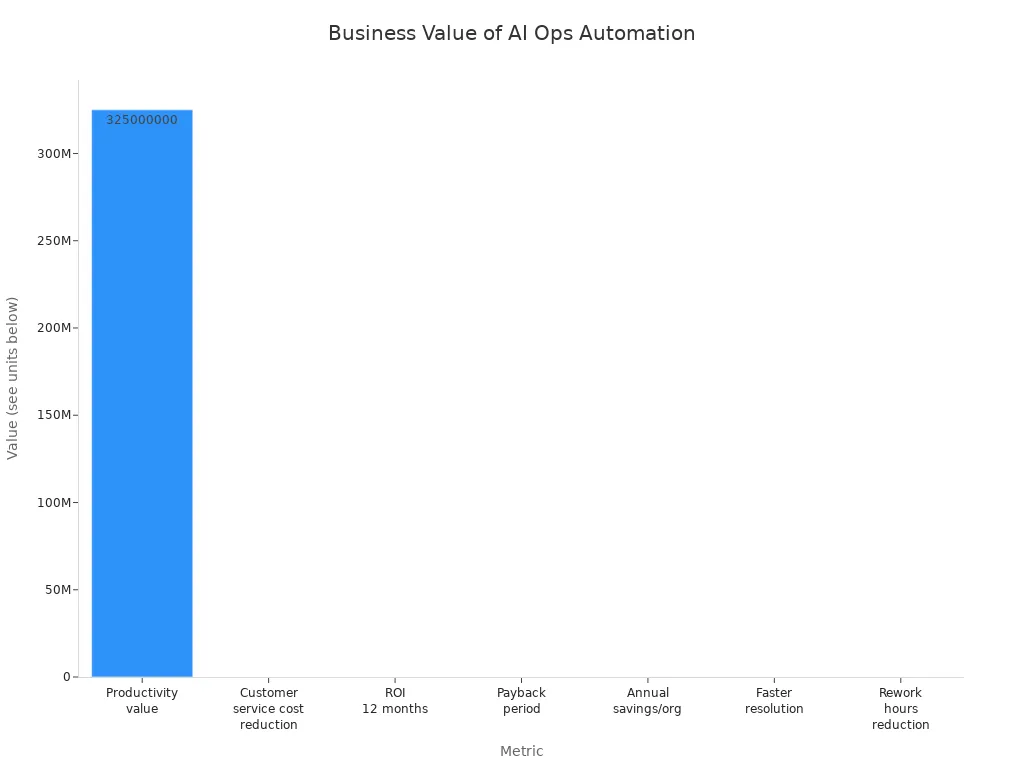
With ai, you can reduce customer service costs by 25% and solve problems 35% faster. Many companies see a return on investment in less than a year. You can also save time by letting ai handle tasks like invoice approvals, fraud detection, and employee hiring.
Note: Over 60% of organizations now use automation to improve how they work and stay ahead of the competition.
Personal Example
You can use ai and automation in your daily life, not just at work. Imagine you are a marketer. You want to create a product comparison page for your website. You type a prompt, and the ai builds the page for you. You can update calls-to-action in seconds and adjust the layout without waiting for a designer. The ai also helps you add keywords and meta-tags for better search results.
Here are some ways ai automation makes your life easier:
- You spend less time on data entry, email sorting, and making reports—up to 60% less.
- You let ai handle routine work, so you can focus on creative projects.
- The ai can process your expense reports by reading receipts, checking rules, and sending them for approval.
You can start by looking at your daily tasks. Find the ones that take too much time or feel boring. Try using ai tools to handle these jobs. You will see fewer mistakes and have more time for important work.
Tip: Start small with one or two tasks. As you get comfortable, you can add more automation to your routine.
Getting Started
Beginner Steps
You can start your journey with AI operations automation by following a few simple steps. These steps help you build a strong foundation and avoid common mistakes.
- Map out your current workflows. Write down each step you take for important tasks. This helps you see where you spend the most time.
- Find problems that slow you down. Look for tasks that are boring, take too long, or cause errors.
- Set clear goals for automation. Decide what you want to improve, such as faster response times or fewer mistakes.
- Check your data. Make sure you have good, clean information. Poor data can lead to bad results.
- Test small solutions first. Try automating one task before moving on to bigger projects.
Tip: Always measure your progress. Use simple metrics like time saved or fewer errors to see if your automation works.
Many beginners face challenges. You may worry about job changes or feel unsure about new technology. Some people fear that automation will replace their work. Others find it hard to connect new tools with old systems. You can overcome these obstacles by starting small and learning as you go.
Tools and Tips
You do not need to be a tech expert to use automation tools. Many platforms help you get started with little effort. For example, Zapier lets you connect your favorite apps and automate simple tasks. You can set up workflows like sending emails or updating spreadsheets without writing any code.
Here are some tips to help you succeed:
- Choose tools with easy-to-use visual builders.
- Look for platforms that offer testing and version control.
- Try low-code solutions to build automations quickly.
- Talk to others in your team to find more automation opportunities.
- Keep your data safe and check for updates often.
| Tool | Best For | Pros | Cons |
|---|---|---|---|
| Zapier | Simple task automation | User-friendly, affordable | Limited for complex tasks |
Note: Good automation coverage means you automate as many useful tasks as possible without losing control.
You can achieve great results by starting with small wins and growing your automation skills over time.
You can use AI Operations Automation Frameworks to make your work easier and faster. These frameworks come as pre-built modules, so you do not need to start from scratch. They fit many needs and help you focus on important tasks.
- The modular design lets you pick what works best for you.
- Many people, like those at Downer and Gallagher Group, improved their work with simple tools and little technical skill.
- By 2026, almost half of enterprise apps will use AI agents, showing how easy and popular these tools have become.
Start small, try simple steps, and see how AI can help you every day.
FAQ
What is an AI Operations Automation Framework?
You use this framework to let computers handle routine tasks. It combines AI, automation, and operations tools. You get faster results and fewer mistakes.
Tip: Think of it as a smart assistant for your daily work.
Do I need coding skills to use these frameworks?
No, you do not need coding skills. Many tools use drag-and-drop features. You can set up workflows with simple clicks.
- Try platforms like Zapier or Microsoft Power Automate.
How do I know which tasks to automate first?
Start with tasks that take a lot of time or cause errors.
Example: Automate email sorting, report creation, or data entry.
You will see quick wins and build confidence.
Is my data safe with AI automation?
Most frameworks use strong security features. You control who sees your data.
| Security Feature | What It Does |
|---|---|
| Encryption | Protects your files |
| Access Control | Limits permissions |
Can I use AI automation at home?
Yes, you can use AI automation for personal tasks.
- Schedule reminders
- Sort emails
- Track expenses
You save time and reduce stress every day.
See Also
The Advantages of SOPs for Warehouse Operations in 2025
Utilizing AI to Improve Production Forecasting Accuracy in 2024
The Impact of Dynamic Slotting on Warehouse Efficiency
AI Routing Algorithms Reduce Fashion Delivery Times Significantly