
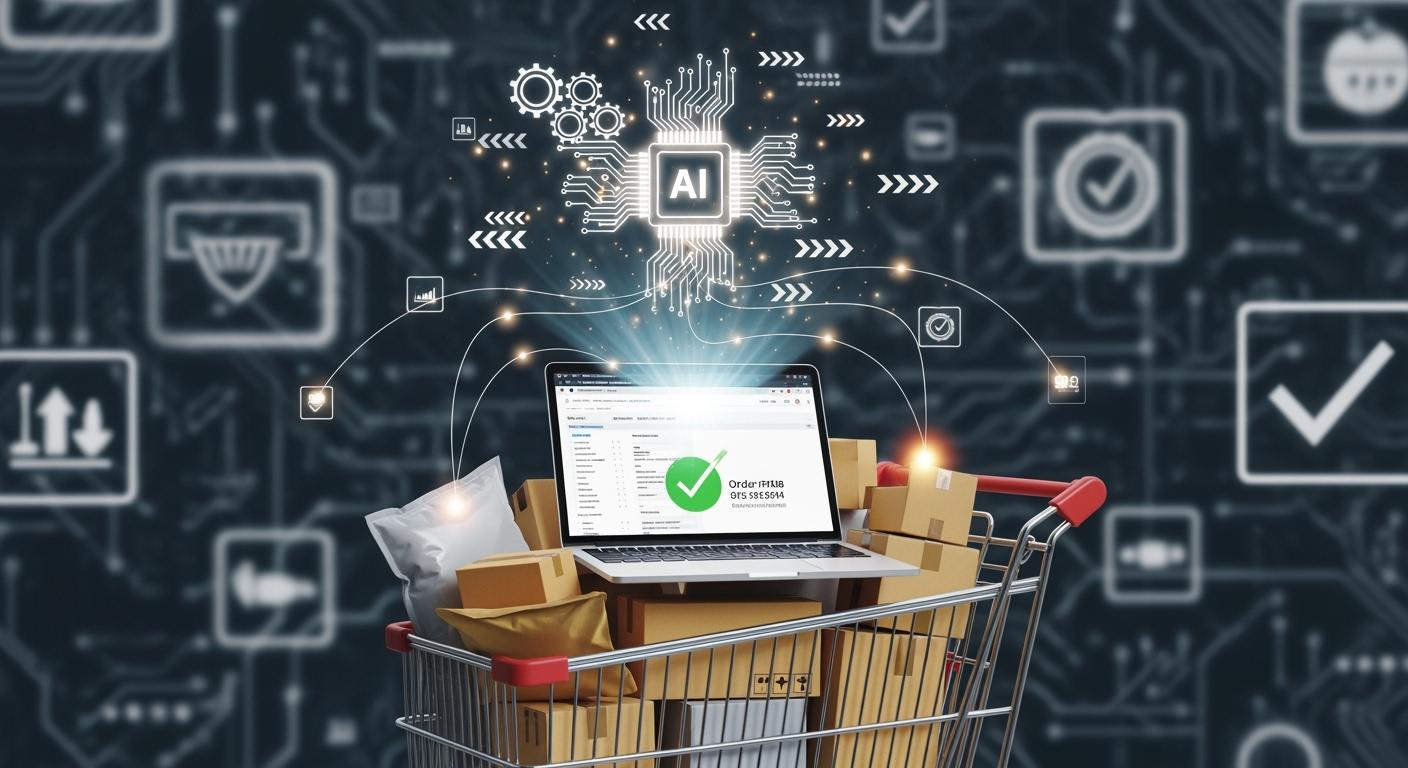
WooCommerce + AI lets you handle your catalog and orders without lifting a finger. You save time, cut down on mistakes, and boost your ecommerce efficiency. Common manual errors in WooCommerce include wrong data entry and scattered info, but AI keeps your catalog accurate and your orders smooth. You can use AI chatbots for quick support, automate product info, and get smarter inventory alerts. Check out these WooCommerce + AI trends:
| Statistic | Insight |
|---|---|
| 89% | Most retailers use AI in ecommerce, but only 7% scale it well. |
| 43% | WooCommerce powers over 43% of the web, showing huge catalog growth. |
WooCommerce + AI Automation

Core Concepts
When you bring AI into WooCommerce, you unlock a new level of automation for your ecommerce store. AI automation in WooCommerce means using smart technology to streamline your store’s daily operations. You can automate tasks like customer support, product recommendations, and even pricing. This goes beyond simple rule-based systems. AI learns from your data, adapts to changes, and helps you make better decisions.
Here’s how AI-driven automation stands out from traditional automation:
- AI-driven automation combines artificial intelligence with automation to create smarter workflows.
- Traditional automation follows set rules and handles repetitive jobs.
- AI learns from your store’s data, makes choices, and adapts as your business grows.
- You get more efficient operations and can focus on growing your ecommerce business.
With full ai-driven automation, you can personalize customer experiences, boost efficiency, and make smarter decisions. This leads to higher sales and happier customers. You don’t just save time—you also make your WooCommerce store more competitive in the world of commerce.
Use Cases for WooCommerce
AI is changing the way you run your WooCommerce store. Here are some real-world use cases that show how AI and automation work together in ecommerce:
| Use Case | Description |
|---|---|
| Personalized Shopping | AI gives shoppers custom product suggestions and dynamic descriptions for a better experience. |
| Customer Support Automation | AI chatbots answer questions, help with product searches, and take orders 24/7. |
| Inventory Management | AI predicts what you’ll need and keeps stock levels just right, so you avoid running out or overstocking. |
| Dynamic Pricing | AI updates prices in real time based on shopper behavior and market trends. |
You’ll also see agentic commerce in action. AI shopping agents help customers find products and finish purchases. Automated systems track inventory and reorder supplies without you lifting a finger. Post-purchase agents handle order tracking and returns, while merchant-side agents help you optimize products and talk to customers. Conversational commerce is now possible, with AI chatbots guiding shoppers and making ecommerce feel more personal.
AI and WooCommerce together let you automate tasks, improve your store’s performance, and keep up with the latest trends in commerce.
Catalog Management with AI
Managing your woocommerce catalog can feel overwhelming, but ai makes it much easier. You can now automate product data, organize images, and stay on top of inventory without spending hours on manual work. Let’s see how ai transforms catalog management for your ecommerce store.
Product Data Automation
You don’t have to write every product description by hand anymore. Ai tools like StoreAgent Content help you create SEO-friendly product copy in seconds. Just enter your product details, and the tool generates unique, engaging descriptions that boost your store’s visibility. This means you can update your woocommerce catalog faster and keep your content fresh. Bulk content generation also becomes simple, so you can launch new products or update old ones without stress. With ai, you save time and reduce errors, making your catalog more reliable for shoppers.
Did you know? Ai can cut catalog management time by up to 85% and reduce data errors by 90%. You can process ten times more product updates without hiring extra staff.
Image Tagging & Categorization
Ai doesn’t just help with words. It also tags and sorts your product images automatically. This makes product discovery easier for your customers. When your catalog is organized, shoppers find what they want faster. Ai-assisted product discovery means your woocommerce store feels smarter and more helpful. You can use plugins like StoreAgent or AI Product Recommendations for WooCommerce to keep your catalog tidy and up-to-date.
| Plugin Name | Category | Key Features | Pros | Cons |
|---|---|---|---|---|
| AI Product Recommendations for WooCommerce | On-site AI recommendations | Real-time product suggestions powered by GPT-4o, customizable logic | Fast way to add personalized suggestions, Lift in AOV with minimal dev work | On-site only; no operational automations |
| StoreAgent | Product content automation | Writes product descriptions, tags, answers, review summaries | Keeps catalog content fresh at scale, Reduces manual copywriting overhead | Content quality requires prompts & QA |
Inventory Alerts
Ai-powered inventory alerts keep your woocommerce catalog running smoothly. These systems look at sales data, supplier times, and trends to predict what you’ll need next. You get automatic reorder reminders, so you never run out of popular items. Ai also helps you focus on high-demand products, which reduces waste and keeps your ecommerce business efficient.
- Ai forecasts demand using real sales data.
- Automated reordering saves you time and prevents stockouts.
- Dynamic segmentation lets you prioritize bestsellers in your catalog.
With ai, you can handle product discovery, catalog updates, and inventory management with ease. Your woocommerce store becomes more efficient, and your customers enjoy a better shopping experience.
Order Processing & AI Chatbots for WooCommerce

Order processing in WooCommerce can get complicated fast. You have to manage orders, answer customer questions, and keep everything running smoothly. AI chatbots for WooCommerce make this much easier. These tools handle support automation, order routing, and even fraud detection. You get faster service, fewer mistakes, and happier customers. Let’s see how you can use AI and chatbots to personalize experiences and boost your ecommerce store.
Order Routing Automation
AI changes how you handle order routing in WooCommerce. You no longer need to check every order or decide which warehouse should ship it. AI shopping assistants look at your inventory, customer location, and shipping options. They pick the best route for each order. This means your customers get their packages faster and you save money.
| Metric | Outcome |
|---|---|
| Shipping Cost Reduction | 15-25% savings |
| Order Fulfillment Speed | Improved due to optimal routing |
| Order Accuracy | Enhanced through AI analysis |
AI shopping assistants analyze inventory and warehouse proximity. They reduce transit times and minimize shipping costs. You see better order accuracy and faster delivery. Many WooCommerce stores use platforms like JIT Transportation and ShipBob. These tools use machine learning to predict demand and place inventory in the right spots. You get real-time visibility of orders and inventory levels, which builds customer trust.
Tip: Automating order routing with AI can save you up to 25% on shipping costs and cut fulfillment times. This means more satisfied customers and fewer support tickets.
Customer Notifications & Support
AI chatbots for WooCommerce are changing the way you talk to your customers. These chatbots offer conversational support automation that feels natural and helpful. You can use them to answer questions, track orders, and send updates. They work 24/7, so your customers always get help when they need it.
Here’s how chatbots and support automation improve customer experiences:
- Chatbots reduce response time to zero, so customers never wait.
- They guide shoppers to the right products with real-time recommendations.
- Chatbots link to your WooCommerce database for accurate answers and order management.
- You can automate order status notifications, abandoned cart recovery, and review requests.
- Chatbots provide dynamic, conversational assistance tailored to each customer.
- They handle order tracking and checkout help, making shopping easy.
- Chatbots understand each shopper’s context, including past purchases and browsing habits.
- Customers get personalized responses and product recommendations that boost engagement.
| Workflow | Revenue Impact | Setup Time | Monthly Value |
|---|---|---|---|
| Abandoned Cart Recovery | 15–25% cart recovery rate | 2–3 hours | $1,500–$5,000 for mid-sized stores |
| Post-Purchase Email Sequences | 20–30% repeat purchase rate | 3–4 hours | 10–15% more revenue per customer |
| Review Request Automation | 40% conversion lift from reviews | 1–2 hours | Better conversion across products |
| Order Status Notifications | 5–10 hours saved per week | 2 hours | Higher customer satisfaction |
| Customer Service Chatbot | 10–15 hours saved per week | 4–6 hours | First response time under 10 sec |
You can see how support automation saves you time and increases revenue. Chatbots also help you personalize experiences for every customer. They make recommendations based on browsing and purchase history. This leads to more sales and loyal customers. If you want the best AI chatbot for WooCommerce, look for one that offers conversational support, real-time product recommendations, and easy integration.
Fraud Detection
AI shopping assistants and chatbots do more than just answer questions. They also protect your WooCommerce store from fraud. AI uses advanced techniques to spot unusual activity and stop fraud before it happens. You get peace of mind and your customers stay safe.
| AI Technique | Description | Effectiveness |
|---|---|---|
| Anomaly Detection | Finds transactions that don’t match normal patterns. | Raises alerts for strange high-value purchases. |
| Predictive Analytics | Looks at past activity to predict new fraud tactics. | Blocks new fraud strategies before they cause harm. |
| Deep Learning | Uses neural networks to spot subtle fraud patterns. | Catches complex fraud that older systems miss. |
| Neural Networks | Analyzes lots of data to find links between transaction details. | High accuracy in telling real from fake orders. |
AI chatbots for WooCommerce use these tools to watch every transaction. They flag anything that looks risky. You can act fast and stop fraud before it hurts your business. This keeps your customers’ information safe and builds trust in your store.
Note: AI-powered fraud detection works in the background. You don’t have to do anything extra, but your store stays protected.
AI shopping assistants, chatbots, and support automation work together to make WooCommerce order processing smooth and secure. You get faster order routing, better customer support, and strong fraud protection. Your customers enjoy a seamless, conversational shopping experience with personalized recommendations and instant help. This is how you turn WooCommerce into a smart, efficient ecommerce powerhouse.
Implementing WooCommerce + AI Tools
Recommended Plugins
You want your woocommerce store to run smarter. Start with ai-driven woocommerce plugins that make automation easy. WiserReview stands out for collecting reviews and turning them into assets that drive revenue. It sends automated review requests by email, SMS, or WhatsApp after a purchase. Customers get coupon codes as incentives for honest feedback. You can manage all reviews from one dashboard. AI moderation holds low-rated reviews, so your brand reputation stays strong. These features help you build trust and boost sales.
Setup Guide
Getting started with ai in woocommerce feels simple when you follow clear steps. Every automation begins with a trigger, like a customer placing an order. The site responds with an action, such as sending a thank-you email or updating your CRM. The outcome improves customer satisfaction and reduces manual work. Here’s a quick look at the process:
| Step Type | Description |
|---|---|
| Trigger | An event starts the automation, like a new order. |
| Action | The site responds, maybe by sending a message or updating info. |
| Outcome | You see happier customers and less manual effort. |
Sometimes, you need to copy and paste product images or descriptions. Manual integration can lead to errors. Take your time and double-check your work. You want your woocommerce store to run smoothly.
Best Practices
You can make ai adoption easier by following a few best practices. Always check your data for accuracy and completeness. Upskill your team with training and partnerships. Educate everyone about what ai can do. Evaluate your current systems to find where ai adds value. Set SMART goals for your automation projects. Start small with pilot projects to spot challenges early. Provide training so your team feels confident. Manage change by working together. Create a dedicated team for responsible ai use. Engage senior leaders to help scale your projects. These steps help you avoid common pitfalls and make your woocommerce store more efficient.
Tip: Start with one plugin, test it, and build from there. You’ll see results faster and avoid big mistakes.
WooCommerce Growth: Benefits & Challenges
Efficiency & Time Savings
You want your woocommerce store to grow without extra stress. That’s where ai steps in. When you use ai with woocommerce, you save hours every week. You don’t have to handle every order or update product info by hand. Ai takes care of repetitive tasks, so you can focus on bigger goals. Your customers notice the difference, too. They get faster support, better recommendations, and smoother shopping.
Here’s a quick look at how ai boosts woocommerce growth:
| Benefit | How It Helps Your Store |
|---|---|
| Improve Customer Experience | Ai personalizes shopping and support, making customers feel valued. |
| Increase Conversions | Smart recommendations and quick help turn more visitors into buyers. |
| Generate More Revenue | Ai uses smart pricing and marketing to help you earn more from each sale. |
| Task Automation | Order processing and inventory tracking run on autopilot. |
| Data Analysis | Ai studies customer behavior, so you make better decisions for your store. |
You see more conversions because ai knows what your shoppers want. It suggests products, applies discounts, and even helps with checkout. Your revenue grows as ai finds ways to improve every step of the customer journey.
Pitfalls & Solutions
You might face some bumps when adding ai to woocommerce. Sometimes, your store’s tech feels old. Maybe your team isn’t sure how to use new tools. You could worry about data security or wonder if the investment will pay off. Don’t let these challenges slow you down.
Here are common problems and how you can solve them:
- Outdated systems? Move your woocommerce store to the cloud and use scalable tools.
- Team feels unsure? Offer training and encourage everyone to try new things.
- Unsure about results? Set clear goals and track how ai improves conversions and sales.
- Data worries? Use strong security and keep your ai tools transparent.
- No clear plan? Make a roadmap that matches your business goals.
Tip: Start small with one ai tool in woocommerce. Watch how it helps with conversions and customer experience. Then, add more as you see results.
With the right steps, you turn challenges into wins. Ai and woocommerce work together to make your store faster, smarter, and ready for growth.
You can make your woocommerce store smarter and faster with ai. These tools automate catalog updates, order processing, and customer support. You get fewer mistakes and more time to grow your business. Here’s what makes woocommerce and ai a winning combo:
- ai agents handle orders, returns, and support without you stepping in.
- They update tickets, check tracking, and process refunds right inside woocommerce.
- ai personalizes shopping, predicts trends, and gives 24/7 help.
Want to get started? Try these steps:
- Add ai chatbots and support tools to your woocommerce store.
- Set up payment automation and recurring billing.
- Track your results and keep improving your automation.
ai is shaping the future of woocommerce. Early adopters see better sales and happier customers. Now is the time to explore ai tools and take your woocommerce store to the next level.
FAQ
How hard is it to set up AI tools in WooCommerce?
You can set up most AI plugins with just a few clicks. Many tools offer step-by-step guides. You do not need to know how to code. Just follow the instructions and test your setup.
Will AI automation replace my team?
AI handles repetitive tasks, but your team still matters. You can use AI to free up time for creative work and customer care. Your staff can focus on growth, not busywork.
Can AI chatbots answer every customer question?
AI chatbots answer most common questions fast. For complex issues, you can step in and help. You get the best of both worlds—speed and a personal touch.
Tip: Train your chatbot with real customer questions for better results.
Is my store’s data safe with AI plugins?
Most AI plugins use strong security and follow privacy rules. You should always check plugin reviews and update your tools. Protect your store with secure passwords and regular backups.
See Also
Impress Customers Using Intelligent Machine Learning Solutions
Achieving AI-Powered Timely Deliveries by 2025
Enhancing Productivity Through Intelligent E-commerce Warehouse Techniques
Is Overflow Warehousing Capable of Supporting E-commerce Expansion?