

Imagine you have an idea and want to see it as a design right away. With text-to-design, you type your prompt, and ai-powered design platforms turn your text into a product concept. You get results fast. AI reads your text, understands your prompt, and creates a design that matches your vision. Clear prompts help ai make better designs. AI speeds up the process compared to old methods.
| Aspect | Traditional Methods | AI-Enhanced Methods |
|---|---|---|
| Timeframe for design | Years | Months |
| Success rate | Lower | Higher |
Ready to see how prompt-to-design works? Let’s break it down step by step.
What Is Text-to-Design?
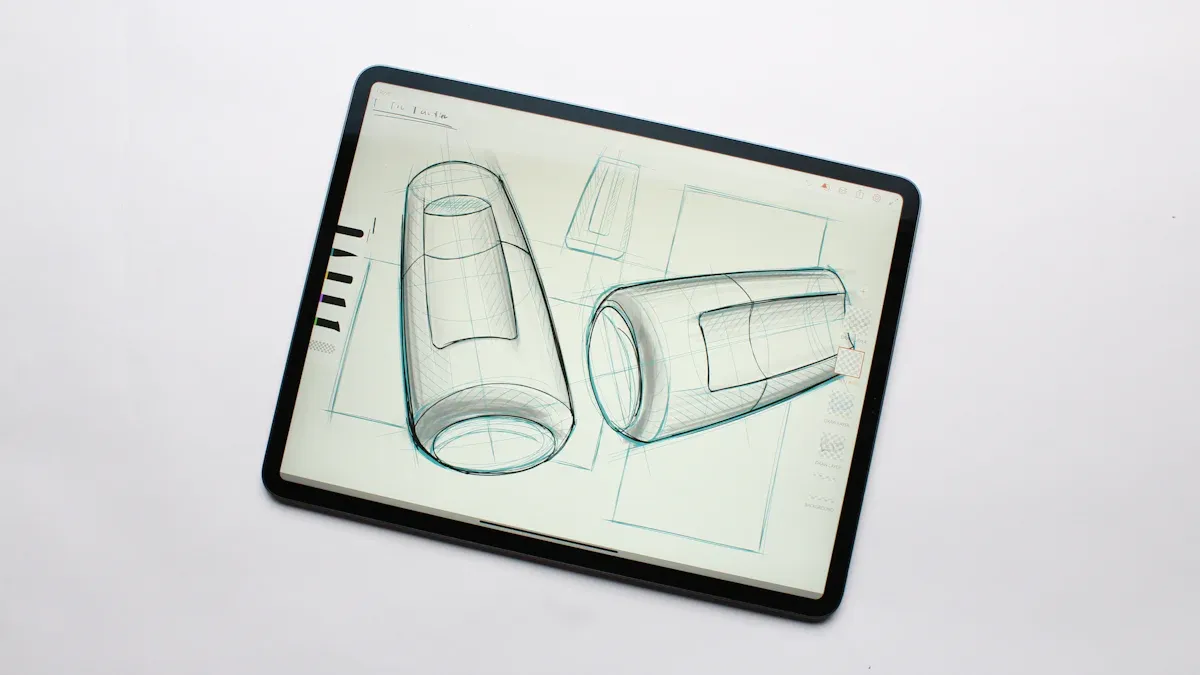
You might wonder what text-to-design really means. In simple terms, you write a text prompt, and ai tools turn your words into a design. This process is changing how you work on digital products. You no longer need to sketch every idea by hand or wait for a designer to interpret your thoughts. Now, you can type your vision, and ai will create a design that matches your needs. Tools like Visily are working hard to make text-to-design even better, but the technology is still growing. You can expect more features and smarter results as these tools develop.
Core Principles of Text-to-Design
When you use text-to-design, you should follow a few key ideas to get the best results:
- Be descriptive, not generic. Give your ai clear instructions, just like you would with a new team member.
- Use common design terms. Words like sidebar, search bar, or product grid help ai understand your text.
- Start broad, then make small changes. Begin with a simple prompt and improve it step by step.
- Let ai build the structure. You can always refine the design later using editing tools.
- Write prompts that others can use. Sharing your text makes teamwork easier.
These principles help you get the most out of ai and make your design process smoother.
Why Text-to-Design Matters
Text-to-design is important because it changes how you and your team work. Here’s how it helps:
- ai automates boring tasks, so you can focus on creative work.
- Tools like Adobe Sensei and TimeHero let you spend more time on big ideas.
- Generative design systems, such as DALL-E and Runway ML, give you many design options fast.
- New jobs like ai trainers and generative design specialists are popping up in the industry.
You also get many benefits from using text-to-design in your workflow:
| Benefit | Description |
|---|---|
| Efficiency | ai speeds up planning and research, so you finish projects faster. |
| Instruction | ai gives you tips and keeps you on track with your design tasks. |
| Creation | ai makes new content and improves your designs, cutting down on repeat work. |
| Entertainment | ai adds fun by creating games or virtual personas for your projects. |
With text-to-design, you can turn your text into a design in minutes. You get more done, work better with your team, and explore new ideas with the help of ai.
How AI Text-to-Design Generators Work
You want to see your idea turn into a design fast. ai text-to-design generators make this possible. You start with a prompt, and the ai takes your text and builds a ui or product mockup. Let’s walk through the steps so you can see how ai design from text works.
Creating Prompts for AI
You begin by writing a prompt. You don’t need fancy design words. Just describe your idea in plain text. For example, you might say, “Create a ui for a shopping app with a product grid, search bar, and sidebar.” ai text-to-design generators understand natural language. You can choose the fidelity of your design. Wireframe mode gives you a rough layout. High-fidelity mockup mode creates a polished ui.
Here are some strategies to help you write better ai prompts:
- Give context. Tell the ai what you want and why.
- Be specific. Use clear instructions and details.
- Try different prompt types. Mix up your approach for better results.
- Organize your text. Keep your prompt logical and easy to follow.
- Break down your prompt. Use step-by-step instructions if your design is complex.
- Add constraints. Mention mood, environment, or style to guide the ai.
Structuring your prompt with clear roles, tasks, context, and expectations helps ai text-to-design generators deliver the best results.
If you want to create a fully structured ui mockups, you can use specific prompts like:
- Generate an image of a Blue magical fairy tale land with a castle centered between trees with fairy lights and flowers.
- Create an image of a vintage red convertible driving along a winding coastal road at sunset.
- Generate an image of a futuristic city skyline with towering skyscrapers, bathed in a warm golden glow.
- Create an image of a serene mountain lake nestled between snow-capped peaks, with a wooden cabin overlooking the tranquil water.
AI Prompt Processing
Once you enter your prompt, ai text-to-design generators get to work. The ai reads your text and tries to understand your intent. High-quality prompts help the ai create accurate and creative designs. If your prompt is clear, you get better results. If your prompt is vague, the ai might miss your vision.
ai uses several models to process your text:
- Large Language Models generate design specs or code for ui layouts.
- Vision-Language Models combine text and image understanding to refine your design.
- Generative Models for 2D/3D outputs, like diffusion models, VAEs, and GANs, create images or 3D ui mockups.
The ai design from text process often involves refining your prompt. You can iterate and improve your prompt based on the design you see. This saves you time and reduces manual editing.
By crafting precise prompts, you help ai text-to-design generators understand your goals. This leads to more relevant and creative ui designs.
From Text to Initial Design
Now, ai text-to-design generators turn your text into a ui layout or product mockup. You see your concept come to life. The workflow usually looks like this:
- Enter your prompt. Describe your design idea in text.
- Choose your design fidelity. Pick wireframe or high-fidelity mockup.
- Edit with drag-and-drop tools. Change layout, text, images, and styles.
- Collaborate with your team. Share feedback, assign tasks, and export designs.
ai design from text platforms use a step-by-step process to build your ui:
| Step | Description |
|---|---|
| 1 | Extract/Create a design system |
| 2 | Audit & Refine the design system |
| 3 | Convert the design system to ai prompts |
| 4 | Generate prototypes using ai prompts |
| 5 | Validate and iterate on the prototypes |
| 6 | Refine prompts for better results |
| 7 | Ship and repeat from step 4 |
You can use real-time collaboration features. Platforms like Canoa let multiple designers work together. Forma (Autodesk) offers virtual whiteboards for teamwork. You and your team can edit ui layouts, share feedback, and build product prototypes together. This makes the design process faster and more fun.
If you want to try a free ai design generator, you can start with simple text prompts and see your ui mockup appear in seconds. You get a product concept ready for review or iteration.
ai text-to-design generators change how you create ui designs. You write text, see your layout, and work with your team—all in one place. You save time, get creative, and build better products.
Iteration and Collaboration in AI for Product Design
Refining Designs with AI
You can make your ui designs better and faster with ai for product design. When you use text-to-design tools, you start with a prompt and see your concept turn into a layout. If you want to improve your design, ai lets you run simulations and test different versions. Engineers use ai-driven simulations to predict how new product designs will perform. You can build a library of phrases and parameters to get consistent visual quality. Ai helps you integrate renders and animations into your workflow, so you don’t need many physical prototypes. You can test and validate your ui with human review and performance feedback. This process saves time and helps you meet technical and brand standards.
- Ai tools let you:
- Generate design variations and mood boards to explore styles.
- Autofill content and suggest layout tweaks for rapid prototyping.
- Quickly refine ideas and move from concept to high-fidelity mockup.
Ai makes iteration easy. You can try new layouts, update text, and see results in seconds.
Team Collaboration and Feedback
Working with your team gets easier when you use ai for product design. You can share your ui layouts and get feedback fast. Ai transforms feedback from tickets, reviews, and Discord into actionable insights. It helps you draft tasks and close the feedback loop with customers. You can use tools like Useberry and Kittl for real-time collaboration. These platforms let you test prototypes, conduct interviews, and organize brand assets.
| Tool | Key Features | Pros | Cons |
|---|---|---|---|
| Useberry | Prototype testing, website testing | Supports research, integrates easily | Not for direct editing |
| Kittl | AI design tools, real-time teamwork | Beginner-friendly, strong editing | Some features require payment |
Ai-powered tools create tighter feedback loops, so your team can iterate and improve product concepts quickly.
Moving from Concept to Prototype
You can turn your text prompt into a ui prototype in just a few steps. Start by explaining your idea in plain text. Ai builds your sitemap and layout based on your concept. The design system matches your style. You can train your own ui model by importing design elements. Ai generates ui screens and helps you create high-fidelity mockups. You can use rapid prototyping tools to get real prototypes and code.
- Start with a project brief using text.
- Let ai build your layout and design system.
- Import design elements to train your ui model.
- Generate ui screens with prompts.
- Create prototypes and get code.
Ai for product design lets you move from concept to prototype faster than ever. You can test, refine, and launch your product with less effort.
Best Practices for AI-Driven Design
Writing Effective Prompts
You want your ai to understand your vision and turn your text into a strong design. Start by making your prompt clear and specific. Add details like the year, region, or style you want. Give examples if you can. Set rules or constraints to guide the ai. You can use follow-up prompts to build on your last idea without repeating everything.
Prompt engineering is a skill you can learn, just like sketching or wireframe building. When you write clear prompts, you save time and boost your creativity. You also help your team create a fair and useful product.
Here are some tips for writing prompts that get great results:
- Use common ui terms like sidebar, search bar, or product grid.
- Organize your text so the ai knows what you want.
- Define the role, task, and expected outcome.
- Ask the ai to check its own work for weak spots.
- Use structured prompts to reduce confusion.
| Prompt Strategy | Key Elements | Example |
|---|---|---|
| Role, Task, Context | Tell ai what role to play and what to do | As a designer, create a wireframe for a mobile shopping app with a clean visual layout. |
| The Lede Structure | Cover what, why, where, and how | Design a ui for a travel booking site that helps users compare flights and hotels easily. |
| Self-Critical Prompting | Ask ai to review its own output | Generate a product concept, then list three ways to improve the user experience. |
Tip: Organize your instructions clearly. This helps ai understand your intent and deliver the right ui design.
Avoiding Common Pitfalls
You can avoid many mistakes by following a few simple steps. Start with a broad layout, then refine your design with small changes. Use familiar ui patterns so the ai creates layouts users know. Always give clear instructions in your prompt. After ai builds your structure, use your editor to adjust the wireframe and visual layout.
Here are common pitfalls and how to avoid them:
- Be descriptive, not generic. Vague prompts lead to cluttered ui and repeated elements.
- Think about the flow. Make sure your content moves in a logical order.
- Watch for unnecessary visual clutter. Too many elements can confuse users.
- Check for repeated design elements. Remove anything that shows up twice.
- Focus on the main task. Don’t let less important parts take over the screen.
Note: Human review is key. Always check the ai’s work to make sure your product meets your standards.
Real-World Examples
You can see big results when you use ai for design. Many companies report a 64% increase in productivity after switching to ai text-to-design workflows. Teams use ai to turn text into ui wireframes and product concepts in minutes. This means you spend less time on manual ideation and more time on creative work.
Here’s what businesses measure to track success:
| KPI | What it shows | Why it matters |
|---|---|---|
| Hours of productivity gained | Time saved on design tasks | More time for ideation |
| Employee adoption and trust | How much your team uses ai | Better teamwork and results |
| Customer satisfaction | User experience with your product | Builds loyalty and trust |
| Critical cycle time reduction | Faster product launches | Stay ahead in the market |
You can use ai to automate boring tasks, improve your ui, and create better experiences for your users. With the right prompt, you turn your text into a design that matches your concept and supports your product goals.
You can turn your text into a product concept by following a few simple steps. Start with a scenario, treat ai like a brainstorming partner, break tasks into smaller parts, and organize your files for ai to understand. Teams see big benefits when they use ai for design. You get less waste, fewer errors, and faster go-to-market times. Workshops finish quicker, and you see more creative ideas. When you try ai tools, you automate tasks, analyze data, and boost creativity. Ai helps you make better decisions and deliver high-quality results. The future of design looks bright with ai leading the way.
FAQ
How do I start using text-to-design tools?
You just type your idea as a prompt. Most platforms have easy interfaces. Try a simple description first. You can adjust your prompt later if you want a different result.
Can AI handle complex design requests?
AI can manage many tasks. If you break your idea into smaller steps, you get better results. You can refine each part as you go.
What if my design doesn’t match my vision?
You can edit the design or rewrite your prompt. AI lets you tweak layouts and styles. Keep testing until you see what you want.
How does text-to-design help with the product design process?
Text-to-design speeds up your workflow. You see ideas turn into layouts fast. You can share designs with your team and get feedback right away.
Is it safe to use AI for product design?
Most platforms protect your data. You should check privacy settings before you start. If you work with sensitive information, ask your team about best practices.
See Also
Revamping Traditional Clothing: Strategies for Branding and Production
Scaling Success: How Top Brands Utilize WarpDriven Distribution
Understanding Technology's Role in Supply Chain Efficiency
Enhancing Returns Management with Intelligent Fashion AI
Optimizing Warehouse Efficiency Through Effective Pick Lists